OTOPLAN
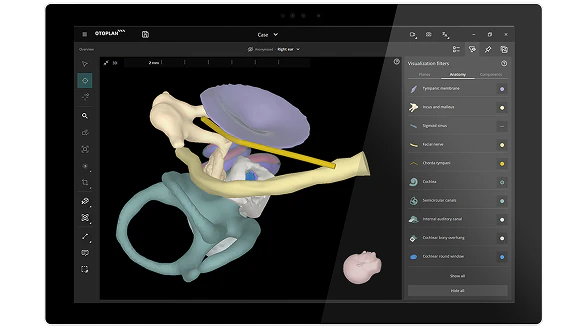
Streamlined, Individualized Otological Surgery
OTOPLAN is a patient-specific otological planning software that helps you perform otological surgery with precision.*
Developed in close collaboration between CASCINATION AG and MED-EL, OTOPLAN provides unparalleled patient-specific 3D visualizations and measurement data to give you the power to perform individualized surgical planning and fitting with precision.
OTOPLAN also features automatic pre-op cochlear parameter measurements and electrode visualization, post-op implant detection, and enables anatomy-based fitting.
- Individualize otologic surgery and cochlear implant fitting maps
- Electrode selection and visualization with CT or MRI imaging [ft]
- Identify post-op electrode contact locations with an X-ray or CT scan [ft]
- Confirm electrode placement in scala tympani via MR or CT image fusion
Automatic Inner Ear Reconstruction
Quickly reconstruct the full inner ear in 3D, including the cochlea, scala tympani, scala vestibuli, round window membrane, bony overhang, semicircular canals, internal auditory canal, tympanic membrane, and ossicles.
Cochlear Implantation Planning
Perform virtual 3D scala tympani insertion to visualize insertion depth and frequency coverage of each MED-EL electrode. Plan the optimal placement of the implant housing and audio processor.
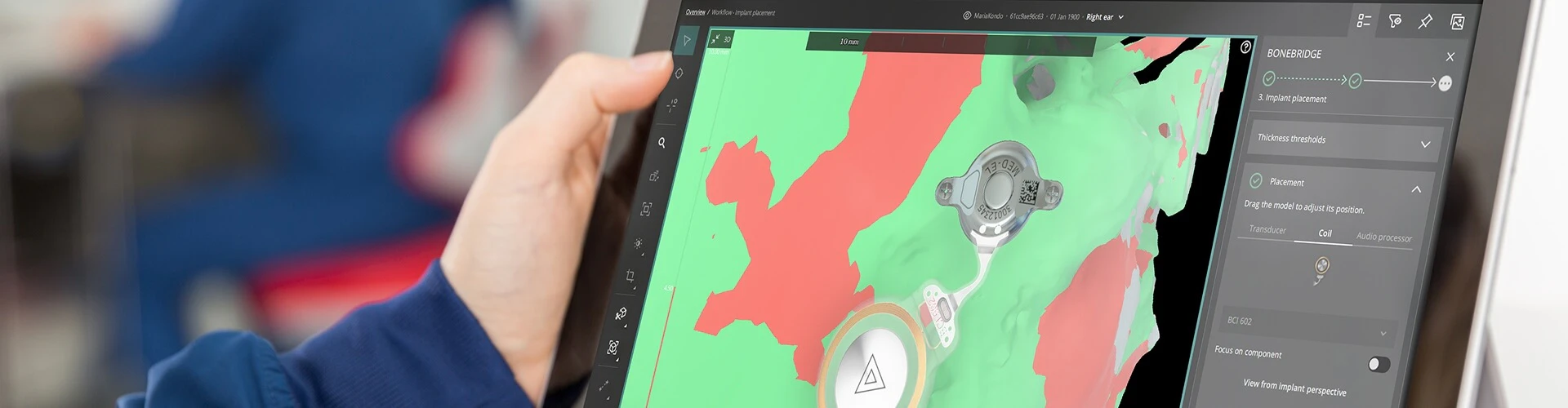
BONEBRIDGE & PMEI Implantation Planning
Plan BONEBRIDGE and passive middle ear implant (PMEI) placements based on the individual anatomy of each patient.[ft]
Post-Op Analysis
Visualize and perform a quality check of the insertion and electrode lead. Determine the postoperative location of each electrode contact automatically with a plain X-ray or CT scan to export data for anatomy-based fitting.[ft]
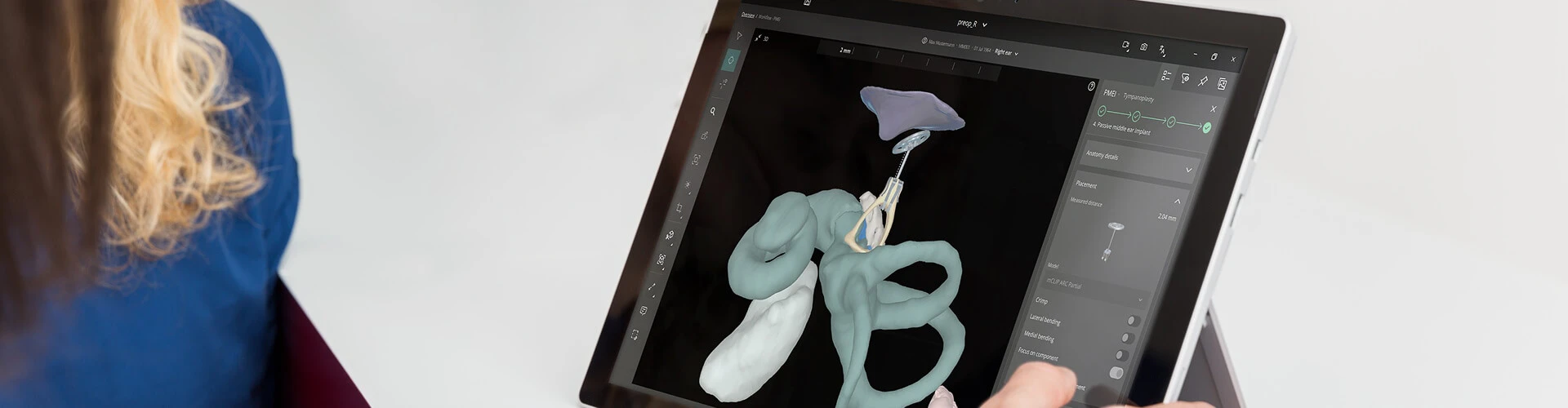
Intuitive and Easy
Intuitive workflows guide you through each clinical procedure, so you can quickly master all of OTOPLAN’s features. OTOPLAN makes it easy to generate detailed 3D reconstructions and measure anatomical parameters in just a few quick steps.
Simple Data Management
Preview images, import and export DICOM files quicker and more easily, and directly connect to PACS. For added convenience and compatibility, NRRD and NIfTI images can also be imported.
Useful DICOM Viewing Tools
Perform measurements on DICOM images using 2D and 3D rulers, angular and freeform measurements, and a range of tools. Import, edit, play, and export fluoroscopy videos for complete patient records and presentations.
Procedure-Based Guided Workflows
Time-saving workflows guide you step-by-step through tasks relevant to each procedure.
Case & Batch Review Tools
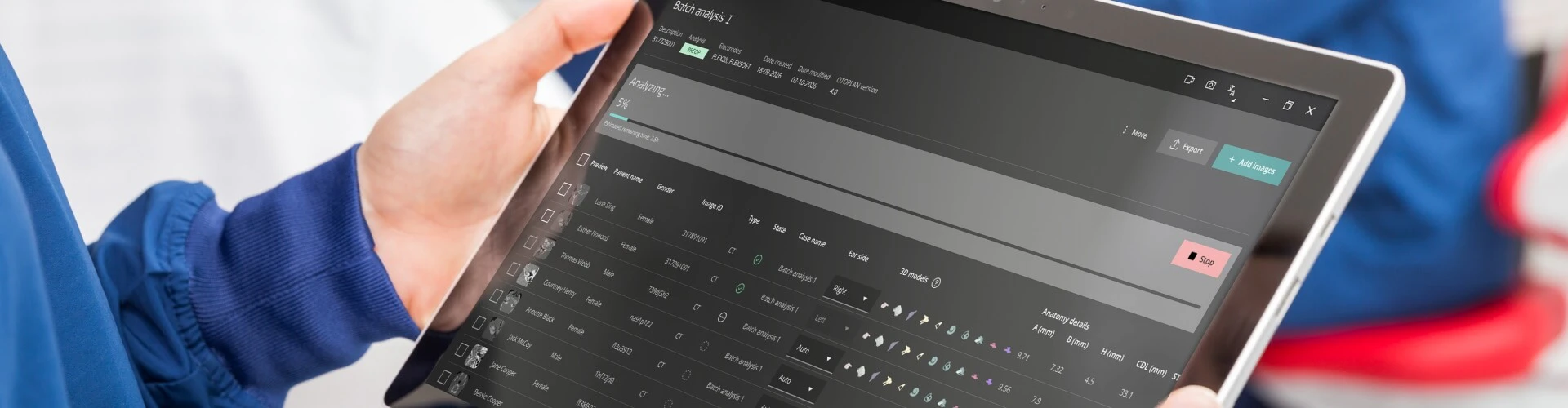
OTOPLAN allows you to record your screen and voice as well as generate customizable reports, making it ideal for reviewing cases and teaching. The Moonliner tool allows for the automatic analysis of a batch of multiple patients with a few clicks.
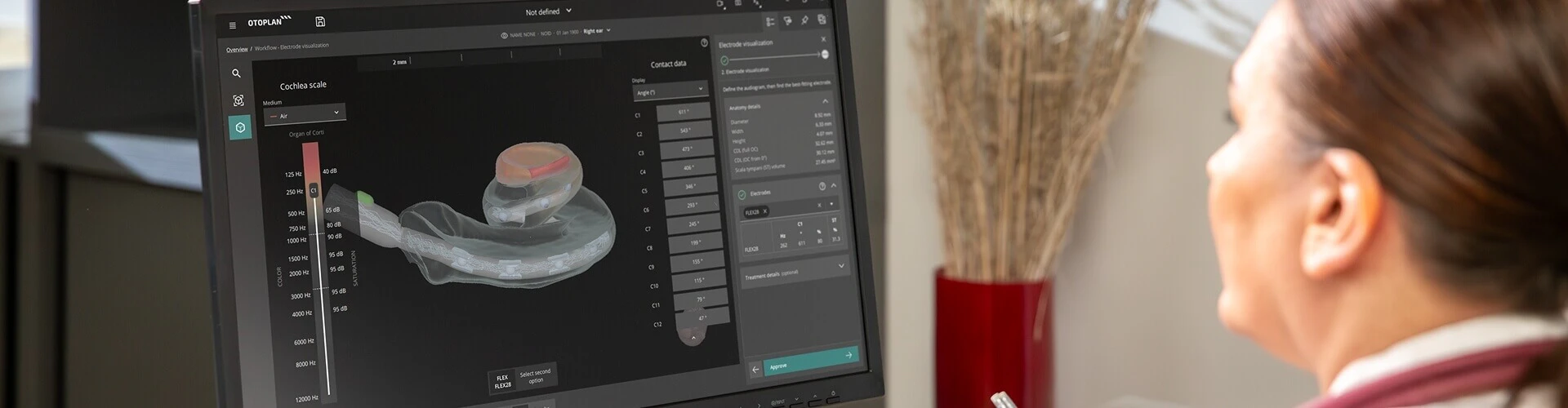
Electrode Visualization
Unique Combined View of Anatomical and Audiological Information
OTOPLAN gives you the power to take cochlear implant surgery planning to a whole new level. With the enhanced electrode visualization tool, you can combine anatomical and audiological information in one intuitive view. You can easily add preoperative data to a patient record and display cross-over frequencies for patients with residual hearing.
Even better, with OTOPLAN you can easily visualize how each electrode would fit each individual cochlea. Compare different electrode arrays and see detailed data for each individual electrode contact, including predicted angular insertion depth and tonotopic center frequency. Virtual 3D electrode insertion provides you with scala tympani diameter, volume ratios, and other key metrics.
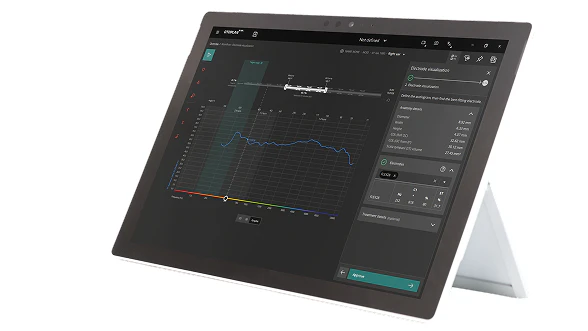
3D Virtual Electrode Insertion
With a simulated 3D view of the electrode insertion into the cochlea, you get more information about the insertion depth and frequencies covered along the length of the cochlea when selecting the best electrode for each patient.[ft] You can view more than one electrode array at the same time. Visualize the optimal angle for electrode insertion into the cochlea, and get detailed information about the scala tympani, including the scala ratio and other metrics, such as diameter, width, cross-section, and volume.
Individualized Electrode Arrays
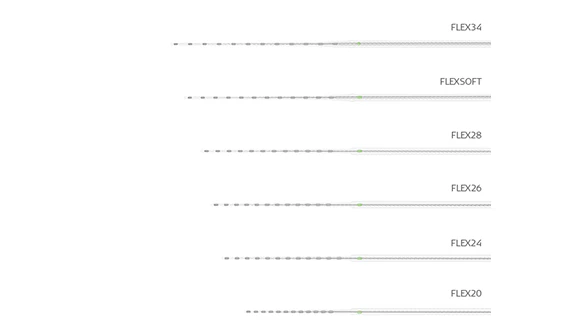
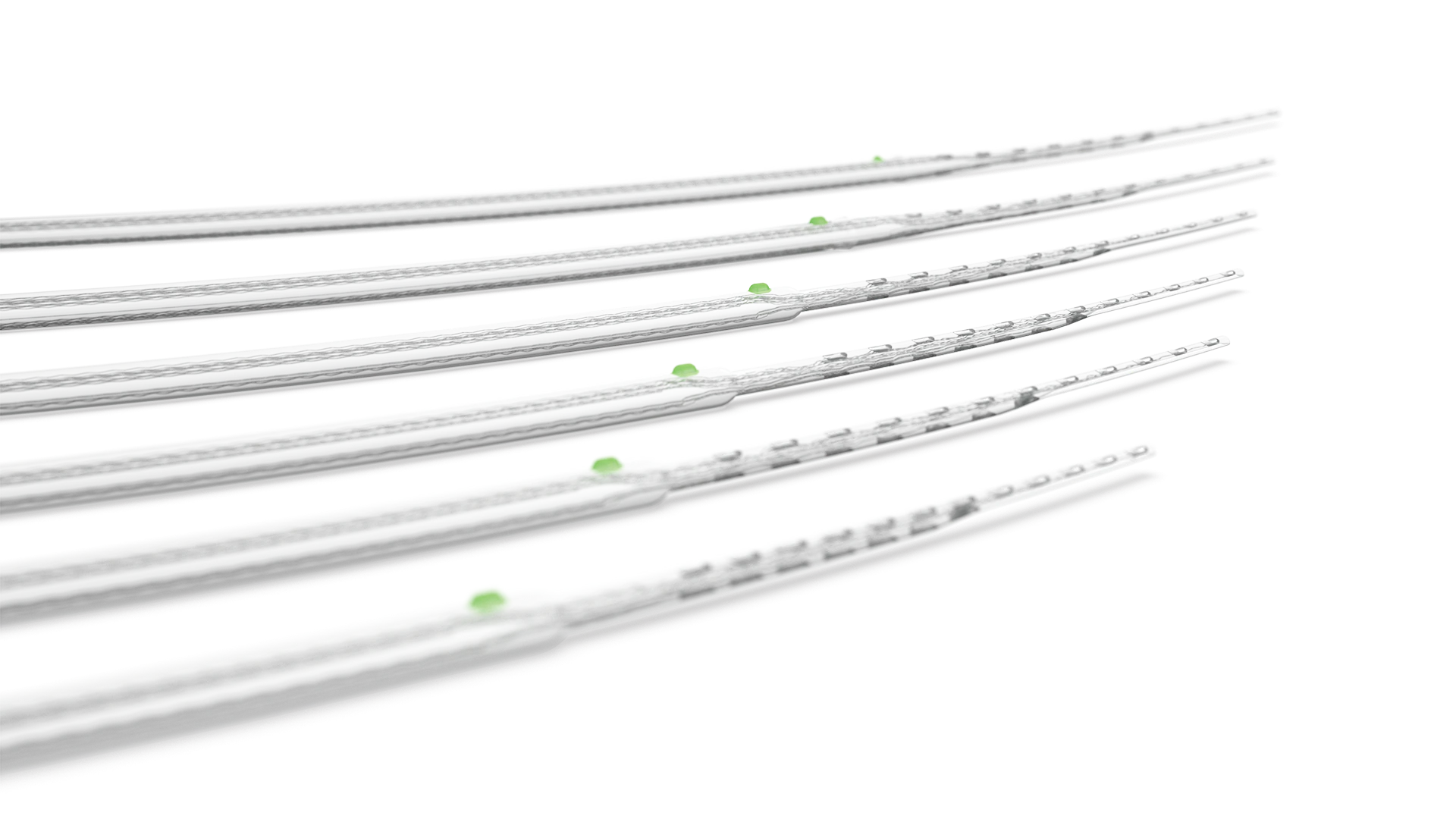
When it comes to electrode arrays, one size doesn’t fit all. In fact, there’s a wider range of variation in cochlear duct lengths than shoe sizes. That’s why we designed our FLEX Series arrays to provide the optimal length for the full range of cochlear anatomies.
With six FLEX arrays available in sizes between 20–34 mm, you can achieve complete cochlear coverage and full electrode insertion for each patient. And with OTOPLAN, you can easily see how each one of these electrodes fits inside the individual cochlea with respect to depth and covered frequencies.
"This is a huge advantage that we can individualize the choice of these electrode lengths. We know there’s a huge variation in sizes from cochlear lengths. The cochlear duct length varies from 25– 36 millimeters along the organ of Corti. Really this is a 50% change, from one patient to another patient."
Prof. Helge Rask-Andersen
3D Anatomy
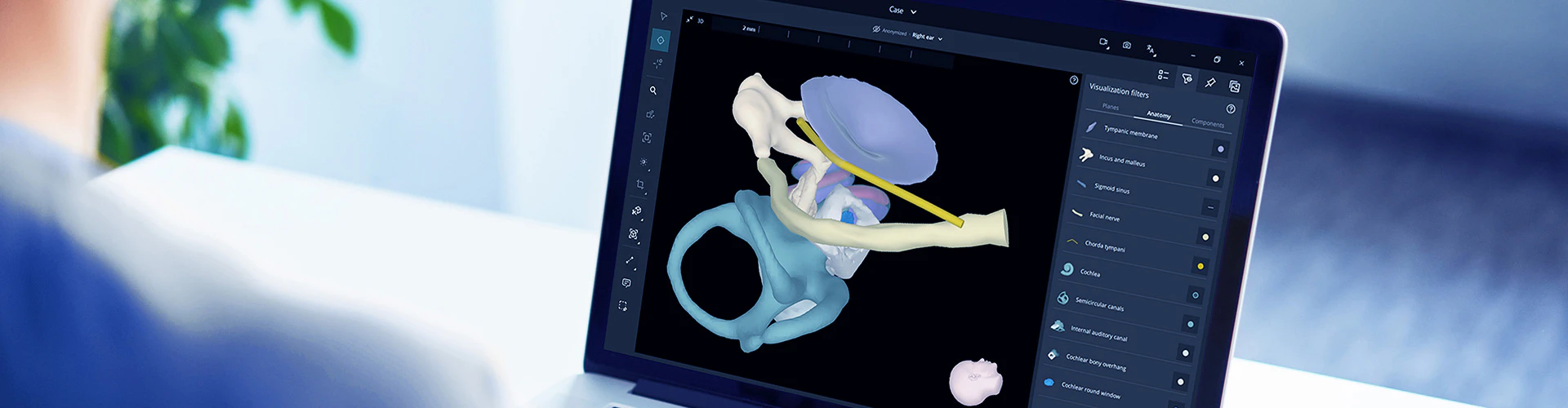
OTOPLAN gives you incredibly detailed 3D reconstructions of each patient’s anatomy in just seconds. Key anatomical structures—including the facial nerve, chorda tympani, sigmoid sinus, and the complete inner ear—are highlighted both in 3D and in each imaging plane.
Think of the possibilities: You can easily navigate through the temporal bone, chorda tympani, and facial nerve. Rotate 360° in any direction, zoom, or change transparencies. OTOPLAN makes it simple to see incredibly detailed 3D reconstructions.
- Automatic 3D inner ear, ossicles, and tympanic membrane
- Virtual trajectory planning
- Image fusion
Unparalleled Visualization
Instantly and seamlessly rotate and navigate through coronal, sagittal, and transverse anatomical planes to get an optimal 2D and 3D view of any anatomical structure in seconds.
3D Cochlea Reconstruction
Explore each individual cochlea via a detailed 3D reconstruction. You can also export the model as an stl. file for 3D printing.
Bone and Skin Thickness
View the automatic 3D reconstruction, as well as thickness measurements and profiles of the skin and the temporal and cortical bones. For a specific clinical use case, set a custom threshold and generate a thickness heatmap to visualize variations in skin and temporal bone thickness.
Virtual Trajectory Planning
Simply set the target point and then pivot the trajectory in any direction. This can help plan individualized surgical access to the cochlea for each patient.
Export 3D Ear to OTOGUIDE
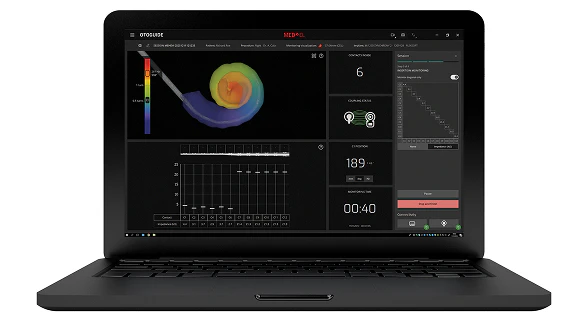
You can export the 3D cochlear model from OTOPLAN for use with OTOGUIDE. By importing the 3D ear into the OTOGUIDE software, you will be able to see a patient-specific 3D visualization of cochlear implantation and monitor the insertion status live with estimated electrode positions.

Post-Op Analysis
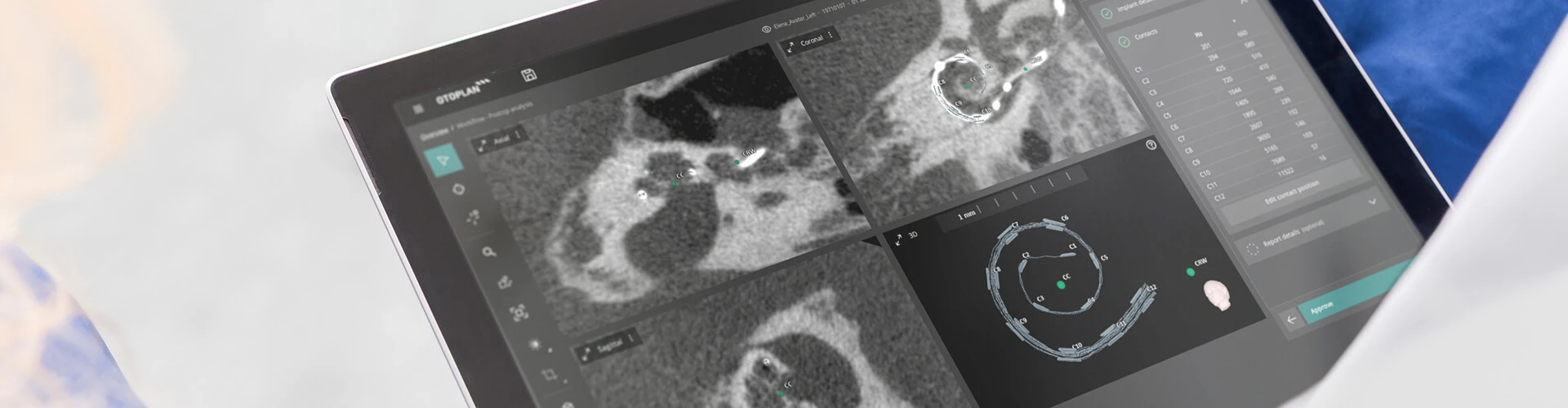
OTOPLAN enhances the entire clinical workflow, including postoperative analysis and reporting. With postoperative imaging, you can easily confirm electrode insertion status and automatically generate detailed patient reports. OTOPLAN lets you automatically generate a report of a patient’s data, including a postoperative analysis.
With post-op CT scan data, OTOPLAN automatically determines the cochlear coordinate system and detects the electrode contacts, the electrode lead, and the implant housing. In addition, it provides visual feedback on the insertion status and lead management.
Using either CT or plain X-ray imaging, OTOPLAN allows you to automatically identify the postoperative angular insertion depth and tonotopic location of each individual electrode contact with just a few clicks. This real location data can be easily exported to our MAESTRO software for anatomy-based fitting.
Anatomy-Based Fitting
With OTOPLAN and our MAESTRO fitting software, you can reach closer to natural hearing than ever before with cochlear implants. Our default FineHearing frequency allocation is designed to follow the natural tonotopic map of the cochlea.[ft][ft][ft] However, we know that one size does not fit all. This is why we are always striving to provide a closer match for each individual patient.
With anatomy-based fitting, you can easily fine-tune the frequency map to be closer to the natural map of each individual cochlea. By combining plain X-ray or CT imaging data from OTOPLAN with MAESTRO, you can quickly individualize the center frequencies based on the actual anatomical location of each electrode contact.
Discover More
Does Your Clinic Have the Newest Version of OTOPLAN?
Make sure you’re getting the most out of OTOPLAN with the newest version. It allows you to select the most suitable electrode using comprehensive scala tympani metrics, such as diameter and volume ratio, and to automatically identify post-op electrode contact locations from X-ray or CT scans, all supported on devices running Windows or macOS.
| Feature | Previous version (2024 release) | Newest OTOPLAN (2026 release) |
|---|---|---|
| DICOM viewer tools | ||
| 2D and 3D DICOM viewer tools | 2D measurements, 3D view reset, 3D plane clipping | Multiple 2D measurements visualization, 3D view reset, 3D plane clipping, 3D object focus, 3D cochlear wall transparency view |
| STL output | Cochlea | All 3D structures |
| Screen recording | Microphone options | Microphone options, mouse pointer options |
| Anonymized screenshot mode | No | Yes |
| Collapsible sidebar | No | Yes |
| Cochlear implantation | ||
| Electrode visualization target range | No | Yes |
| Electrode-to-scala tympani (ST) parameters | ST diameter ratio | ST diameter ratio, total and sectional ST volume ratio |
| Post-op automatic electrode contact detection | CT | CT, X-ray |
| Anatomy | ||
| Round window parameters | Largest axis, smallest axis | Largest axis, smallest axis, area, maximum diameter |
| Semicircular canals module | No | Yes, with angular measurements |
| Middle ear structures | Ossicles, facial nerve, chorda tympani, sigmoid sinus | Tympanic membrane, ossicles, facial nerve, chorda tympani, sigmoid sinus |
| Ossicles 3D reconstruction | Manual | Automatic |
| Tympanic membrane reconstruction | No | Automatic |
| Automatic temporal bone and skin thickness profiles for implant placement | No | Yes |
| Middle Ear and Bone Conduction Implants | ||
| PMEI implant placement planning | No | Yes |
| BONEBRIDGE BCI 602 implant placement planning | Transducer | Transducer, coil, processor |
| General | ||
| Report customization | No | Yes |
| Report output format | PPTX | |
| Moonliner—full head support | No | Yes, selectable ear side |
| PACS | Basic configuration options | Advanced configuration options, store OTOPLAN case files to PACS |
| Operating system support | Microsoft Windows | Microsoft Windows, Apple macOS |
| Data protection | OS login | OS login, data at rest encryption |
Contact Us
Ready to further individualize and streamline otological surgery at your clinic with OTOPLAN?
Would you like to upgrade to OTOPLAN's newest version?
Fill in the contact form below. We’ll connect you to our local MED-EL clinical support experts.

SYNCHRONY 2
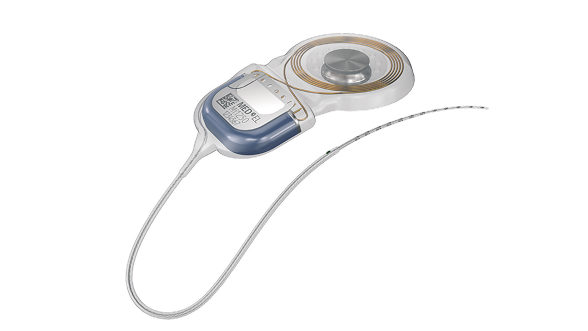
See why individualized electrode arrays, safe access to MRI, and a streamlined central electrode lead for exceptional surgical handling make SYNCHRONY 2 your new favorite cochlear implant.
Discover More
Electrodes
Find out what sets MED-EL electrode arrays apart from any other design to enable a closer to natural sound quality that no other cochlear implant can match.
*OTOPLAN is a product of CASCINATION AG.


